
It started on a rainy Tuesday morning. I opened my laptop to check emails. The screen froze. The fan spun loudly. My once-speedy laptop felt like a tired old machine.
I felt frustrated. I had work to do. Yet my laptop refused to cooperate.
That day taught me a hard lesson. The operating system matters a lot. I realized I had the wrong Windows version for my hardware. My laptop needed something lighter and faster.
So I started my search. I wanted to find the best Windows version for my laptop. I tested different versions. I read many reviews. I spoke to tech experts.
Now I want to share what I learned. This guide will help you pick the right Windows version. You will save time, money, and headaches. Let us begin this journey together.
Why Your Windows Version Matters More Than You Think
Your laptop is only as good as its operating system. The best Windows version can make your laptop feel brand new. A wrong choice can make it crawl.
Think of Windows as your laptop’s brain. It controls everything. It manages your files. It runs your apps. It connects you to the internet. So picking the best Windows version is a big decision.
Many people ignore this choice. They use whatever comes pre-installed. But that is a mistake. Different laptops need different Windows versions. Your needs matter too.
A student needs something different from a business owner. A gamer needs something different from a writer. So the best Windows version depends on you.
Performance is another key factor. Some Windows versions run faster on old hardware. Others need newer chips and more RAM. Battery life also varies between versions. Security features differ as well.
Moreover, support matters greatly. Older versions stop getting updates. This leaves your laptop vulnerable to hackers. So choosing the best Windows version keeps you safe.
In short, your choice affects everything. Speed, battery, security, and usability all depend on it. That is why this guide exists. Let us explore your options.
Windows 11 Home – The Standard Choice for Most Users
Windows 11 Home is the most common version. Most new laptops come with it pre-installed. For many people, it is the best Windows version available today.
This version offers a modern interface. The Start menu sits in the center. The design looks clean and fresh. Rounded corners give it a soft feel. Everything seems organized and simple.
Windows 11 Home includes useful features. You get the new Microsoft Store. You can use widgets for news and weather. Snap layouts help you arrange windows easily. Virtual desktops keep your work organized.
Performance is generally good on modern laptops. Microsoft claims Windows 11 is 2.3 times faster than Windows 10. Top Windows 11 PCs also offer 2.7 hours more battery life. Web browsing is up to 3.2 times faster too.
However, Windows 11 Home has limits. It supports only one CPU socket. It maxes out at 128GB of RAM. These limits do not matter for most users. Only power users need more.
Security is stronger in Windows 11. It requires TPM 2.0 and Secure Boot. These features protect against malware. They keep your data safe from hackers.
Windows 11 Home costs around $139.99. That is a fair price for most people. For everyday tasks, this is often the best Windows version.
Windows 11 Pro – For Power Users and Business Needs
Windows 11 Pro takes things to the next level. It builds on Home with extra features. For many professionals, this is the best Windows version for work.
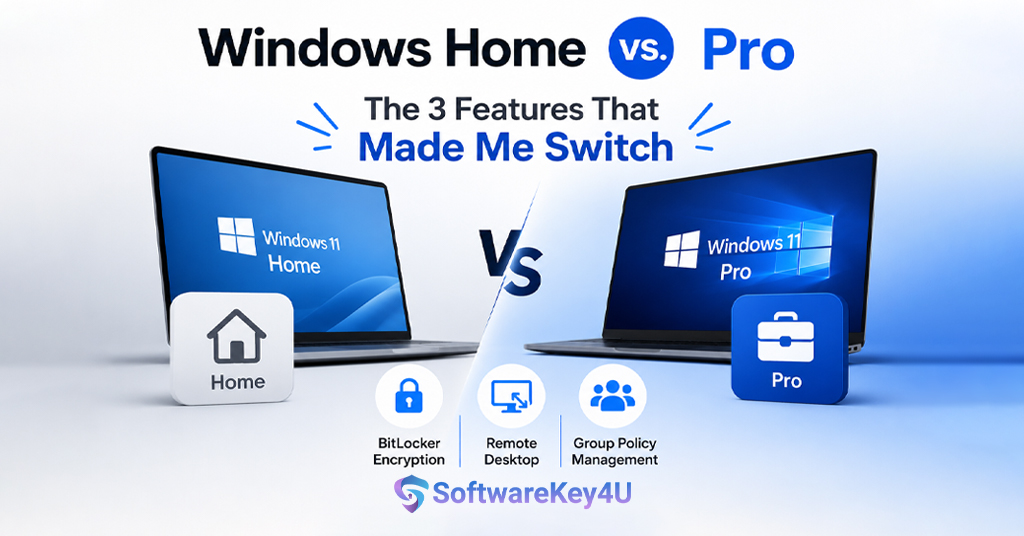
The main difference is business tools. Pro includes BitLocker encryption. This protects your data if your laptop gets stolen. Group Policy lets IT teams manage settings. Remote Desktop lets you access your laptop from anywhere.
Pro also supports more hardware. It allows two CPU sockets. It can handle up to 2TB of RAM. This matters for heavy workloads. Video editors and data scientists benefit greatly.
Virtualization is another Pro feature. You can run Hyper-V to create virtual machines. This helps test software safely. Developers find this very useful.
Windows 11 Pro costs $199.99. That is $60 more than Home. The extra cost is worth it for businesses. For regular users, Home is usually enough.
Performance is similar between Home and Pro. Background processes differ slightly. But most users will not notice the difference. The best Windows version for you depends on your needs.
Security is slightly better in Pro. You get more advanced protection tools. These help defend against sophisticated attacks. For handling sensitive data, Pro is the way to go.
Windows 10 – The Reliable Classic for Older Laptops
Windows 10 remains a solid choice. It has been polished for over a decade. For older laptops, it is often the best Windows version available.
The interface feels familiar. The Start menu is on the left. The taskbar works predictably. Everything is where you expect it to be. This comfort matters to many users.
Performance on old hardware is better. Windows 10 uses less RAM than Windows 11. Boot times are faster on mechanical hard drives. Apps open more quickly too.
Battery life is another advantage. On older laptops, Windows 10 lasts up to 15% longer. This is crucial for students and travelers. Every minute of battery counts.
However, Windows 10 has a major problem. Support ended on October 14, 2025. This means no more free security updates. Your laptop becomes vulnerable over time.
You can buy Extended Security Updates. These cost $30 for one extra year. But this is only a temporary fix. Eventually, you must move to Windows 11.
For now, Windows 10 works fine. Many people still use it daily. It handles browsing and office work without issues. For old laptops, it remains the best Windows version.
Windows 11 LTSC – The Lightweight Alternative
Windows 11 LTSC is a special version. It stands for Long-Term Servicing Channel. This version removes unnecessary features. For some users, it is the best Windows version for stability.
LTSC has no Copilot AI. It has no Microsoft Store. It has no widgets or extra apps. This makes it very light and fast. Background services are fewer.
The system requirements are lower too. You only need 2GB of RAM. This is half of what normal Windows 11 needs. Old laptops can run it smoothly.
Support lasts for 10 years. This is much longer than normal versions. You get only security updates. Feature updates come every three years.
However, LTSC has downsides. It is meant for businesses only. Regular users cannot buy it easily. Gamers may miss new features. Performance gains are minimal.
LTSC removes bloatware effectively. This can make your laptop feel faster. But the difference is often small. For most people, Home or Pro is better.
If you want a clean system, LTSC is worth considering. But getting a license is hard. It is not the best Windows version for everyone.
Windows 11 vs Windows 10 – A Head-to-Head Comparison
Choosing between Windows 10 and 11 is tough. Both have strengths and weaknesses. Let us compare them directly. This will help you find the best Windows version.
Performance: Windows 11 is faster on new hardware. It boots in under 20 seconds with fast startup. But on old hardware, Windows 10 wins. It uses less RAM and runs smoother.
Battery Life: Modern laptops get better battery on Windows 11. Older laptops last longer on Windows 10. The difference can be up to 2.7 hours. Your hardware determines the winner.
Security: Windows 11 is much more secure. It requires TPM 2.0 and Secure Boot. Windows 10 lacks these mandatory features. This makes Windows 11 safer overall.
Interface: Windows 11 looks modern and fresh. Windows 10 feels familiar and classic. Which you prefer is personal taste. Both work well for daily use.
Support: Windows 10 support has ended. Windows 11 will be supported for years. This is a huge factor. Security updates are essential.
Price: Both are free if you already have a license. New licenses cost the same. Windows 11 Home is $139.99. Windows 11 Pro is $199.99.
For new laptops, Windows 11 is the best Windows version. For old laptops, Windows 10 may still work. But you must consider security risks.
Hardware Requirements – Can Your Laptop Run It?
Before choosing, check your hardware. The best Windows version must run on your laptop. Otherwise, it is useless.
Windows 11 Requirements:
-
Processor: 1 GHz or faster with 2 or more cores
-
RAM: 4 GB minimum
-
Storage: 64 GB or larger
-
TPM: Version 2.0 required
-
Secure Boot: Must be enabled
Most laptops from 2018 or later meet these requirements. Intel 8th Gen and AMD Ryzen 2000 series work. Older chips may not be compatible.
Windows 10 Requirements:
-
Processor: 1 GHz or faster
-
RAM: 1 GB for 32-bit, 2 GB for 64-bit
-
Storage: 16 GB for 32-bit, 20 GB for 64-bit
-
No TPM requirement
Windows 10 runs on much older hardware. This makes it the best Windows version for old laptops. But remember the support issue.
Check Your Laptop:
-
Go to Settings > System > About
-
Look at processor and RAM
-
Use Microsoft’s PC Health Check app
-
This tells you if Windows 11 works
If your laptop meets Windows 11 requirements, upgrade. If not, stick with Windows 10. That may be the best Windows version for you.
Performance and Speed – Which Version Is Fastest?
Speed matters to everyone. Nobody likes a slow laptop. So which is the best Windows version for speed?
Microsoft claims Windows 11 is 2.3 times faster than Windows 10. This is based on tests with new hardware. On modern laptops, Windows 11 feels snappy.
Apps open quickly on Windows 11. The system responds instantly. Multitasking is smooth and effortless. These improvements are noticeable.
However, tests tell a different story. One benchmark showed Windows 11 coming last. Boot speed, battery life, and app opening were slower. Windows 11 also used more RAM.
The test used old hardware, though. A Lenovo ThinkPad X220 from 2011. Windows 11 is not optimized for such old machines. So the results are not fair.
On modern laptops, Windows 11 performs well. On old laptops, Windows 10 is faster. So the best Windows version depends on your hardware.
Microsoft is working on improvements. They plan to reduce RAM usage in 2026. This will help budget laptops run better. Windows 11 will only get faster.
For gaming, Windows 11 is slightly better. It supports Auto HDR and DirectStorage. These features improve game visuals and loading. Gamers should choose Windows 11.
Battery Life – Making Your Charge Last Longer
Battery life is critical for laptop users. You cannot always find a power outlet. So the best Windows version should save battery.
Microsoft says top Windows 11 PCs last 2.7 hours longer. Web browsing is up to 3 times faster too. These claims come from Microsoft’s own tests.
Windows 11 includes new power features. Efficiency Mode saves battery automatically. Dynamic Refresh Rate adjusts the screen. Content Adaptive Brightness Control helps too.
However, Windows 11 also uses more resources. Background services run constantly. Widgets and Teams integration consume power. On older laptops, this drains battery faster.
Windows 10 is more efficient on old hardware. It can last up to 15% longer. Traditional sleep modes work better. Driver compatibility is broader too.
Modern Standby causes issues on Windows 11. It allows background activity during sleep. This can drain battery overnight. You may need to adjust settings.
The best Windows version for battery depends on your laptop. New laptops benefit from Windows 11. Old laptops do better with Windows 10.
Tips to save battery:
-
Enable Energy Saver mode
-
Reduce screen brightness
-
Close unused apps
-
Turn off Bluetooth and Wi-Fi when not needed
Security and Updates – Keeping Your Laptop Safe
Security is non-negotiable. Hackers target outdated systems. So the best Windows version must be secure.
Windows 11 has stronger security. It requires TPM 2.0 and Secure Boot. These features protect against malware. They prevent unauthorized access.
Smart App Control is new in Windows 11. It only allows trusted apps to run. This stops many viruses before they start. Windows 10 lacks this feature.
Windows 11 also gets regular updates. Microsoft adds new features often. Security patches arrive monthly. This keeps your laptop safe.
Windows 10 support ended on October 14, 2025. No more free security updates. Your laptop becomes vulnerable over time. This is a serious risk.
You can pay for Extended Security Updates. These cost $30 for one year. Businesses can buy up to three years. But this is not a permanent solution.
For most people, Windows 11 is the best Windows version for security. It offers modern protection. It receives ongoing support. Your data stays safe.
If you must use Windows 10, take precautions:
-
Use a good antivirus
-
Avoid suspicious websites
-
Do not open unknown email attachments
-
Consider upgrading as soon as possible
Gaming – Which Version Wins for Gamers?
Gamers have special needs. They want high frame rates. They want smooth gameplay. So which is the best Windows version for gaming?
Windows 11 is designed for gamers. It includes Auto HDR for better colors. DirectStorage loads games faster. Game Mode optimizes system resources.
Windows 11 Home is enough for most gamers. Pro adds business features you do not need. So Home is the best Windows version for gaming.
Performance is slightly better on Windows 11. The difference is about 3%. This is not huge but noticeable. Every frame matters in competitive games.
Some professional gamers prefer Windows 10. They value stability and driver compatibility. Old games may run better on Windows 10. But this is becoming less common.
Windows 11 supports the latest hardware. New gaming laptops come with Windows 11. They are optimized for it. So upgrading makes sense.
The best Windows version for gaming is Windows 11 Home. It has all the gaming features. It costs less than Pro. It works great on modern gaming laptops.
Tips for gaming on Windows 11:
-
Enable Game Mode in Settings
-
Update graphics drivers regularly
-
Close background apps before gaming
-
Use a wired internet connection for lower latency
Students and Casual Users – What Works Best?
Students need reliable laptops. They write papers and browse the web. They watch videos and use Zoom. So the best Windows version should be simple.
Windows 11 Home is perfect for students. It has all basic features. It is easy to use. It costs less than Pro.
The interface is clean and modern. Snap layouts help with research. Virtual desktops organize different subjects. These features make studying easier.
Windows 11 also includes Copilot AI. This helps with homework and research. You can ask questions and get answers. It is like having a tutor.
Battery life matters for students. New laptops with Windows 11 last longer. This is great for long school days. You can work without hunting for outlets.
For students on a budget, Windows 10 may work. Old laptops run it well. But security is a concern. Consider upgrading if possible.
Schools often recommend Windows 11. It meets modern requirements. It supports educational software. So it is the best Windows version for students.
Windows 11 SE is another option. This is for K-8 students. It is simpler and more secure. But it is only for school-provided laptops.
Business and Professional Users – Which Version to Pick?
Business users need reliability and security. They handle sensitive data. They work with IT departments. So the best Windows version must be professional.
Windows 11 Pro is designed for business. It includes BitLocker encryption. This protects data if laptops are lost. Group Policy lets IT manage settings.
Remote Desktop is another Pro feature. You can access your work laptop from home. This is essential for hybrid work. It saves time and increases productivity.
Pro also supports more hardware. Two CPU sockets and 2TB of RAM. This matters for demanding workloads. Data scientists and developers benefit.
Windows 11 Pro costs $199.99. This is $60 more than Home. For businesses, this is worth it. The extra features pay for themselves.
Enterprise is for large organizations. It adds advanced management tools. But most small businesses do not need it. Pro is the best Windows version for them.
Security is stronger in Pro. You get advanced protection tools. These defend against sophisticated attacks. Your business data stays safe.
For business users, Windows 11 Pro is the clear winner. It offers everything you need. It keeps your work secure and productive.
Where to Buy Genuine Windows Licenses
You need a genuine license. Pirated software is dangerous. It can contain malware. It does not receive updates. So buy from trusted sources.
Microsoft sells licenses directly. You can buy from their website. This is the safest option. But it is also the most expensive.
Retailers like Amazon and Best Buy sell licenses. They offer competitive prices. Make sure the seller is reputable. Check reviews before buying.
For great deals on genuine licenses, visit softwarekey4u. They offer affordable Windows keys. All keys are authentic and work perfectly. Click softwarekey4u to explore their collection. They have options for Home and Pro versions.
You can also upgrade from Windows 10. The upgrade is still free. This saves you money. Just check if your laptop is compatible.
Avoid suspicious websites. They sell fake or stolen keys. These keys may stop working. You could lose access to your system.
Always buy the best Windows version for your needs. Do not overpay for features you do not use. Home is fine for most people. Pro is for business users.
Remember, a genuine license gives you:
-
Regular security updates
-
Access to new features
-
Technical support from Microsoft
-
Peace of mind
FAQ’s
Q1: What is the best Windows version for an old laptop?
Windows 10 is often the best Windows version for old laptops. It uses less RAM and runs faster on older hardware. However, support has ended, so consider upgrading if your laptop meets Windows 11 requirements.
Q2: Is Windows 11 Home better than Windows 11 Pro?
For most users, Windows 11 Home is the best Windows version. It has all essential features at a lower price. Pro adds business tools like BitLocker and Remote Desktop. Choose Pro only if you need these extras.
Q3: Can I still use Windows 10 safely in 2026?
Windows 10 no longer receives free security updates. You can buy Extended Security Updates for $30 per year. But Windows 11 is the best Windows version for long-term security.
Q4: Which Windows version is best for gaming?
Windows 11 Home is the best Windows version for gaming. It includes Auto HDR, DirectStorage, and Game Mode. These features improve game performance and visuals.
Q5: How do I check if my laptop can run Windows 11?
Use Microsoft’s PC Health Check app. Your laptop needs a 1 GHz processor, 4GB RAM, 64GB storage, TPM 2.0, and Secure Boot. Most laptops from 2018 or later are compatible.
Conclusion
Choosing the best Windows version for your laptop is not hard. You just need to know your needs and your hardware. Let us summarize everything simply.
For most people, Windows 11 Home is the best Windows version. It offers a modern look, good performance, and strong security. It works great on new laptops. It costs only $139.99. It has all the features you need for daily tasks.
For business users, Windows 11 Pro is the best Windows version. It adds BitLocker encryption, Remote Desktop, and Group Policy. These tools protect data and improve productivity. The extra $60 is worth it for professionals.
For old laptops, Windows 10 may still be the best Windows version. It runs faster on older hardware. It uses less RAM and battery. But support has ended. You must consider security risks.
For gamers, Windows 11 Home is the best Windows version. It includes gaming features like Auto HDR and DirectStorage. Performance is slightly better than Windows 10. It supports the latest gaming hardware.
For students, Windows 11 Home is the best Windows version. It is easy to use and affordable. Snap layouts and virtual desktops help with studying. Copilot AI assists with research.
For those who want a clean system, Windows 11 LTSC is an option. It removes bloatware and unnecessary features. But it is hard to get and meant for businesses.
Remember to check your hardware first. Windows 11 needs a 1 GHz processor, 4GB RAM, 64GB storage, TPM 2.0, and Secure Boot. If your laptop meets these requirements, upgrade to Windows 11. If not, stick with Windows 10 for now.
Buy genuine licenses from trusted sources. Visit softwarekey4u for affordable and authentic Windows keys. Do not risk using pirated software. It is dangerous and unreliable.
In the end, the best Windows version is the one that fits your laptop and your life. Take your time. Do your research. Make the right choice. Your laptop will thank you with better speed, longer battery, and stronger security.
Now go ahead and pick your best Windows version. Enjoy a faster, safer, and more productive laptop experience today.