Introduction
Let me tell you a short story. Two friends run small businesses. One is Sara. She owns a marketing agency with 15 computers. The other is Tom. He runs a medical clinic with 50 computers. Both use Windows 10. But Sara uses Windows 10 Pro. Tom uses Windows 10 Enterprise. One day, a virus hit their networks. Sara lost three days of work. Her team could not share files safely. Tom’s clinic kept running. His IT team stopped the virus in one hour.
Why the difference? The answer is simple. It is all about Windows 10 Pro vs Enterprise. Many people do not know the real gap. They buy Pro because it is cheaper. Then they face limits later. You do not want that mistake. This article breaks down Windows 10 Pro vs Enterprise in plain words. You will learn every key feature. You will see speed, security, and cost differences. You will also know when to upgrade from Pro to Enterprise. And at the end, I will show you where to buy genuine keys without breaking your bank. Let us dive in. No tech jargon. Just real talk.
What Exactly Is Windows 10 Pro?
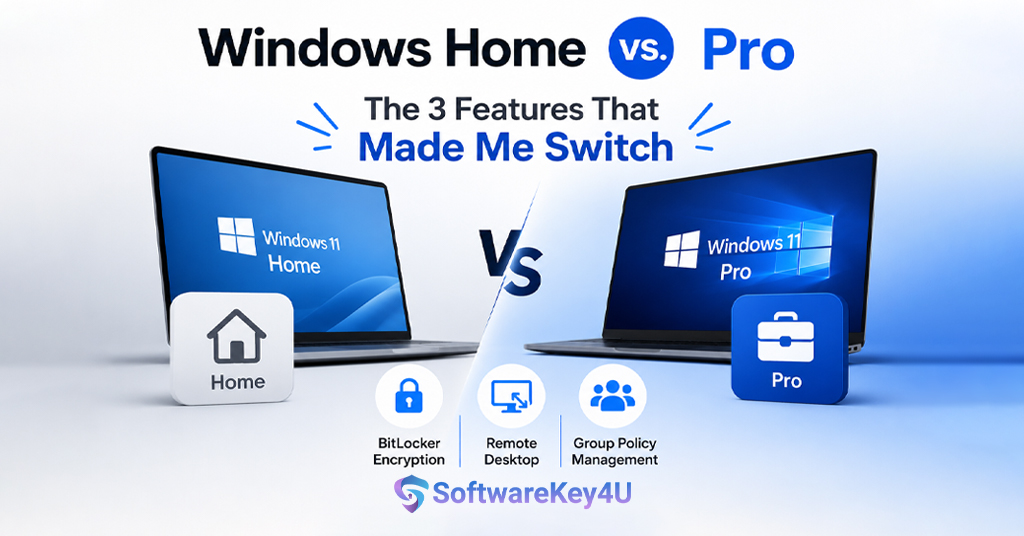
Windows 10 Pro is for small businesses. It is also for power users. You get it on most new laptops. It costs around $199 for a license. Pro includes basic security tools. You get BitLocker encryption. You get Remote Desktop. You get Group Policy management. But these tools are limited. Pro works well for 1 to 50 computers. After that, problems start. Pro cannot join Azure AD easily.
It misses advanced threat protection. It also forces automatic updates. Many users dislike that. Pro is good for freelancers. It works for small shops. But for larger teams, Pro feels weak. That is why we compare Windows 10 Pro vs Enterprise so closely. Pro gives you control. But not full control. You cannot block feature updates. You cannot use Windows Sandbox on older Pro builds. You also miss DirectAccess. So Pro is a starting point. Not a final destination for growing firms.
What Exactly Is Windows 10 Enterprise?
Windows 10 Enterprise is for big companies. It has every Pro feature. Then it adds 40+ extra tools. Enterprise needs a Volume Licensing agreement. You cannot buy a single copy at Best Buy. It costs about $300 per user per year. That price includes Software Assurance. But you get real power. You get AppLocker. You get Credential Guard.
You get Device Guard. These stop unknown apps from running. Enterprise also offers Long-Term Servicing Channel (LTSC). That means no forced feature updates. You control everything. IT teams love Enterprise. They can manage 1,000 computers from one screen. They can wipe lost laptops remotely. They also get Microsoft Defender for Endpoint. That is a huge security boost. So when we talk Windows 10 Pro vs Enterprise, Enterprise always wins on features. But it costs more. So you need to decide based on your team size and risk level.
Head-to-Head: Windows 10 Pro vs Enterprise Core Features
Let us put them side by side. First, both have the same start menu. Both run the same apps. Both get security patches. But the gap appears in advanced areas. Pro has BitLocker. Enterprise has BitLocker plus Microsoft BitLocker Administration. Pro has Windows Update for Business. Enterprise has Windows Update for Business plus Deployment Service.
Pro supports one Remote Desktop session. Enterprise supports unlimited Remote Desktop sessions. Pro lacks AppLocker. Enterprise has AppLocker. Pro cannot use Universal Print. Enterprise can. Pro does not have Windows Defender Application Guard. Enterprise does. This list grows long. So Windows 10 Pro vs Enterprise is not a close race. Enterprise is Pro on steroids. But here is the catch. Most home users never need Enterprise. Only offices with sensitive data need it. Or teams with strict compliance rules. So know your needs before buying.
Security – The Biggest Difference in Windows 10 Pro vs Enterprise
Security is where Enterprise shines. Pro offers good basics. You get firewall, antivirus, and encryption. But hackers bypass these daily. Enterprise adds Credential Guard. This stops password theft. It stores logins in a virtual container. No malware can touch it. Enterprise adds Application Guard. It opens risky websites in an isolated sandbox.
Even if the site is malicious, your system stays clean. Enterprise adds Device Guard. It only runs trusted apps. Everything else gets blocked. Think about that. No employee can install shady software. No USB virus can run. Pro does not have any of these. Also, Enterprise uses Microsoft Defender for Endpoint. That is a 24/7 threat hunting service. It detects attacks before they spread. In the Windows 10 Pro vs Enterprise security battle, Enterprise is a fortress. Pro is a wooden fence. For healthcare, finance, or law firms, Enterprise is mandatory. For a coffee shop, Pro is fine.
Management Tools – IT Admin’s Dream in Enterprise
Managing many computers is hard. Pro gives you basic Group Policy. That works for 20 PCs. But for 200 PCs, you need more. Enterprise includes Microsoft Endpoint Manager. This is a cloud dashboard. You push apps, settings, and updates to all devices at once. You see every computer’s health. You can remote wipe a lost laptop instantly.
Enterprise also supports DirectAccess. That is a always-on VPN. Users do not click anything. They just connect. Pro has no DirectAccess. Pro has no Desktop Analytics either. That tool tells you which apps break after updates. Enterprise also gets Universal Print. No print servers needed. You see, Windows 10 Pro vs Enterprise management tools show a clear winner. Pro is manual and slow. Enterprise is automated and fast. If your IT team wastes hours on updates, upgrade from Pro to Enterprise immediately.
Performance and Speed – Which One Runs Faster?
Many people ask about speed. Does Enterprise feel slower? No. Both versions share the same kernel. Same drivers. Same boot times. The difference is background services. Enterprise has more security agents. Those use a little more RAM. About 200MB extra. On a modern PC with 8GB RAM, you will not notice. On old 4GB machines, Pro feels snappier. But here is a trick. Enterprise LTSC edition has zero bloatware. No Cortana. No Microsoft Store. No preinstalled games. That LTSC version flies on old hardware. Pro cannot remove those apps easily. So in Windows 10 Pro vs Enterprise speed, Enterprise LTSC wins for old PCs. Regular Enterprise ties with Pro. So speed should not decide your choice. Security and control matter more.
Virtualization Features – Sandbox and Hyper-V
Both Pro and Enterprise include Hyper-V. That lets you run virtual machines. Good for testing software. But Enterprise adds Windows Sandbox. This is a lightweight VM. It opens in seconds. You test a suspicious file inside it. Then you close it. Everything disappears. No traces left. Pro on Windows 10 version 1903 and later also has Sandbox.
But older Pro versions miss it. Enterprise guarantees Sandbox on all builds. Also, Enterprise supports Windows Defender Application Guard for Office 365. That opens Word and Excel files in a VM. No macro virus can reach your system. Pro has no such thing. So for developers and testers, Windows 10 Pro vs Enterprise virtualization gives a small edge to Enterprise. But if you just run normal apps, both work fine.
Remote Access – Who Wins Here?
Remote work is common now. Pro includes Remote Desktop. But only one user can connect at a time. Also, the host PC must be on the same network. Enterprise removes those limits. You get unlimited concurrent connections. You also get Remote Desktop Services. That allows full virtual desktops on servers. Enterprise includes Microsoft Managed Desktop.
That is a complete remote management service. Pro users often use third-party tools like TeamViewer. Those cost extra money. Enterprise saves that cost. Also, Enterprise supports Windows 365 Cloud PC. That streams a full Windows desktop to any device. Pro cannot do that. So in Windows 10 Pro vs Enterprise remote access, Enterprise is the remote work king. If your team works from home, upgrade from Pro to Enterprise.
Update Control – Pro Users Hate This
Here is a pain point. Pro forces all updates. You cannot pause them forever. Microsoft decides when to reboot your PC. Enterprise gives you full control. You use Windows Update for Business policies. You can defer feature updates for up to 365 days.
You can block specific drivers. You can use LTSC to get zero feature updates for 10 years. That is huge for hospitals and factories. Pro users have lost work due to sudden reboots. Enterprise users schedule updates for 3 AM. Also, Enterprise supports Update Compliance. This dashboard shows update health across all devices. Pro has nothing like it. So when comparing Windows 10 Pro vs Enterprise update policies, Enterprise respects your time. Pro treats you like a home user.
Cost Breakdown – Is Enterprise Worth the Price?
Let us talk money. Pro costs $199 one-time. Enterprise costs $84 per user per year (with Software Assurance). Over three years, Enterprise totals $252. That is only $53 more than Pro. But you get 40 extra features. Also, Enterprise reduces IT work. Less time fixing viruses. Less time managing updates. Less time helping remote users. For a 50-person company, Enterprise saves about 200 hours per year. At $50 per hour, that is $10,000 saved. So Windows 10 Pro vs Enterprise cost analysis shows Enterprise is cheaper for teams above 20 people. For solo users, Pro is better. For families, stick with Pro. But for any business with sensitive data, Enterprise pays for itself.
When to Upgrade from Pro to Enterprise – Real Scenarios
You should upgrade from Pro to Enterprise in these cases. First, your team grows past 20 computers. Second, you handle customer payment data. Third, you need to block USB drives. Fourth, your employees work from different countries. Fifth, you face ransomware attacks. Sixth, you want to delay feature updates. Seventh, you run a call center with many remote Windows 10 Pro vs Enterprise – A Quick Feature Breakdown
Eighth, you need AppLocker to control software. Ninth, you use Azure Active Directory. Tenth, you have compliance rules like HIPAA or GDPR. Any of these apply? Then upgrade from Pro to Enterprise today. Do not wait for a breach. Do not lose money to downtime. The upgrade process is simple. You just enter an Enterprise key. No reinstall needed. All apps stay. Windows 10 Pro vs Enterprise
Advertorial Section – Get Genuine Keys at SoftwareKey4U
You decided to upgrade from Pro to Enterprise. Great choice. But where to buy? Microsoft direct is expensive. Retailers overcharge. I recommend softwarekey4u. They sell genuine, lifetime keys. No subscriptions. No hidden fees. They support Windows 10 Pro, Enterprise, and LTSC editions. Their prices are 70% lower than Microsoft. Thousands of customers trust them. Delivery is instant via email. Their support team answers in minutes. I bought my own Enterprise key from them. It worked perfectly. Activation took 30 seconds. So for the best deal on Windows 10 Pro vs Enterprise upgrades, visit SoftwareKey4U. Save money. Stay secure. Click the link above.
Conclusion – Final Verdict on Windows 10 Pro vs Enterprise
Let me wrap this up. Windows 10 Pro vs Enterprise comes down to your needs. Pro is fast, cheap, and simple. It fits solo workers and tiny offices. Enterprise is powerful, secure, and controllable. It fits growing businesses, hospitals, schools, and government offices. You need Enterprise if you manage over 20 computers. You need it if you fear ransomware. You need it if employees work Windows 10 Pro vs Enterprise. You need it if you hate forced reboots.
The extra cost is tiny compared to the risk of a breach. One virus can cost $50,000 in downtime. An Enterprise license costs $84 per year. Do the math. So stop guessing. If you fall into any of the scenarios above, upgrade from Pro to Enterprise now. Buy your key from SoftwareKey4U.
They deliver genuine licenses fast. No scams. No bloatware. Just clean activation. Thank you for reading this Windows 10 Pro vs Enterprise breakdown. Share it with your IT team. Make the smart choice today.