Introduction: The Day I Almost Lost Everything
Let me tell you a quick story. A few years ago, my friend ran a small accounting firm. He used Windows 7 Pro on all his office PCs. He loved it. It was fast, familiar, and reliable. One morning, he walked into his office and found every computer locked. A ransom note glowed on every screen. Hackers had breached his network through an unpatched security hole. They encrypted all his client data. He lost months of work. He lost client trust. He lost thousands of dollars.
That day changed everything for him. He finally understood the real cost of using an outdated operating system. He made the switch to Windows 10 Pro. He never looked back.
This story is not unique. Thousands of businesses face similar risks every day. The choice between Windows 10 Pro vs Windows 7 Pro is not just about new features. It is about survival. It is about protecting your data, your identity, and your future.
Windows 7 Pro was a great operating system. It served millions of users well for many years. But the world has changed. Cyber threats have evolved. Windows 7 Pro simply cannot keep up.
Microsoft ended support for Windows 7 Pro on January 14, 2020. That means no more security updates. No more patches. No more help from Microsoft. Every day you use Windows 7 Pro, you are taking a huge risk.
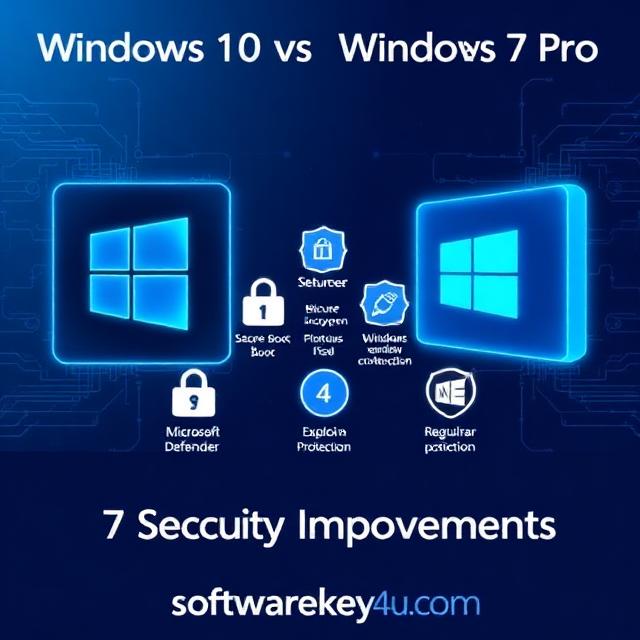
Windows 10 Pro is built for today’s threats. It offers seven major security improvements that Windows 7 Pro lacks. These improvements protect your devices, your data, and your business.
In this article, we will compare Windows 10 Pro vs Windows 7 Pro across seven key security areas. We will show you exactly why upgrading is the smartest decision you can make.
Let us dive in.
Identity Protection: Passwords Are Not Enough
Passwords are weak. Most people use simple passwords. Hackers love this. They steal one password and gain access to everything.
Windows 7 Pro relies on passwords. That is its biggest weakness. It offers basic password protection. But that is not enough anymore. Hackers use phishing attacks to steal passwords. They use brute force attacks to guess them. They use “pass the hash” attacks to steal identities.
Windows 10 Pro changes the game entirely. It introduces Windows Hello and Microsoft Passport. These features replace passwords with biometric authentication. You can sign in using your face, your fingerprint, or your iris.
Windows Hello requires special hardware. But many modern laptops already include fingerprint readers and infrared cameras. Once you set it up, signing in is instant and safe.
Microsoft Passport adds another layer of protection. It uses multi-factor authentication. That means you need more than one proof of identity.
Windows 10 Pro also includes Azure Active Directory integration. This gives businesses a comprehensive identity management solution. You can control who accesses what. You can enforce security policies across all devices.
In the Windows 10 Pro vs Windows 7 Pro comparison, identity protection is a clear win for Windows 10 Pro. Windows 7 Pro simply cannot compete.
Data Protection: Encrypt Everything
Data is your most valuable asset. Losing it can destroy your business. Windows 7 Pro offers BitLocker drive encryption. But there is a catch. BitLocker was only available for Windows 7 Ultimate and Enterprise editions. Most Windows 7 Pro users did not have access to it.
Windows 10 Pro includes BitLocker for all users. That is a huge improvement. BitLocker encrypts your entire hard drive. Even if someone steals your laptop, they cannot read your data.
But Windows 10 Pro goes further. It introduces Windows Information Protection (WIP). This feature was formerly called Enterprise Data Protection. WIP helps prevent data leaks. It separates business data from personal data on the same device.
For example, WIP can block employees from copying customer data into social media apps. It can stop them from emailing sensitive files to personal accounts. This gives businesses much more control over their data.
Windows 10 Pro also offers BitLocker To Go. This encrypts USB drives and external storage. You can share encrypted files safely. Only authorized users can access them.
Data protection is another area where Windows 10 Pro vs Windows 7 Pro shows a clear gap. Windows 10 Pro offers more tools, better control, and stronger encryption.
Threat Resistance: Built-In Defense Against Malware
Malware is everywhere. Ransomware, spyware, and viruses attack millions of devices every day. Windows 7 Pro has basic antivirus protection. But it is outdated and weak.
Windows 10 Pro includes Windows Defender Antivirus as a built-in solution. It protects you from malicious software and hacking attempts. It updates automatically. You do not have to pay extra for third-party antivirus software.
But Windows Defender is just the beginning. Windows 10 Pro introduces Device Guard. This feature only allows trusted applications to run. If an app is not verified, it cannot execute. This stops malware before it can do any damage.
Windows Defender System Guard protects your device from boot to shutdown. It ensures your system integrity remains intact. It checks for tampering and unauthorized changes.
Windows 10 Pro also includes Credential Guard. This protects your login credentials from pass-the-hash attacks. It uses virtualization to isolate your secrets. Hackers cannot steal what they cannot reach.
Statistics show that Windows 10 security events requiring IT remediation are reduced by up to 33%. That means fewer security incidents, less downtime, and lower costs.
In the Windows 10 Pro vs Windows 7 Pro debate, threat resistance is a game-changer. Windows 10 Pro is simply more resilient.
Device Security: Hardware-Based Protection
Security is not just about software. It is also about hardware. Windows 7 Pro was designed for older hardware. It does not take full advantage of modern security chips.
Windows 10 Pro is built for the future. It supports Trusted Platform Module (TPM) 2.0. TPM is a hardware chip that stores encryption keys securely. It makes it much harder for hackers to steal your data.
Windows 10 Pro also supports Secure Boot. This feature prevents malware from loading during startup. It checks the digital signature of every boot component. If anything looks suspicious, it stops the boot process.
UEFI Secure Boot is another hardware-based feature. It protects against rootkits and bootkits. These are sophisticated malware that hide deep in your system. Windows 10 Pro blocks them at the hardware level.
Modern Windows 10 Pro devices also include Intel vPro technology. This provides additional security features. It locks the BIOS when software is running. It prevents planted malware from gaining control.
Windows 7 Pro lacks most of these hardware protections. It was designed for a different era. In the Windows 10 Pro vs Windows 7 Pro comparison, device security is no contest.
Application Guard: Isolate Your Browser
Your web browser is a major attack vector. Hackers use malicious websites to infect your system. Windows 7 Pro offers no built-in protection against browser-based attacks.
Windows 10 Pro introduces Microsoft Defender Application Guard. This feature isolates your browser in a virtual container. When you visit a risky website, it runs in a sandbox. The sandbox is separate from your operating system.
If a hacker exploits a vulnerability in your browser, they cannot escape the sandbox. They cannot access your files. They cannot install malware on your system. The attack is contained and neutralized.
Application Guard is available for Microsoft Edge and other browsers. It works seamlessly in the background. You do not even notice it is there. But it provides powerful protection against zero-day exploits.
This feature is unique to Windows 10 Pro. Windows 7 Pro has nothing like it. In the Windows 10 Pro vs Windows 7 Pro security race, Application Guard gives Windows 10 Pro a huge advantage.
Automatic Updates: Stay Protected Always
Security updates are critical. They fix vulnerabilities before hackers can exploit them. Windows 7 Pro relies on you to manually install updates. Many users postpone updates or ignore them entirely.
Windows 10 Pro takes a different approach. It uses Windows Update for Business. Updates are automatic and seamless. You get the latest security patches as soon as they are released.
Microsoft releases updates on the second Tuesday of every month. This is known as Patch Tuesday. But Windows 10 Pro also receives out-of-band updates for critical threats. You are always protected.
Automatic updates mean you never miss a critical patch. You do not have to remember to check for updates. You do not have to worry about outdated protection.
Some businesses worry about update disruptions. Windows 10 Pro offers flexible deployment options. You can schedule updates during off-hours. You can defer feature updates for up to 365 days. You control the timing.
Windows 7 Pro stopped receiving updates in January 2020. That means every new vulnerability is a ticking time bomb. Hackers actively target Windows 7 Pro systems because they are easy prey.
In the Windows 10 Pro vs Windows 7 Pro security comparison, automatic updates are essential. Windows 10 Pro keeps you safe. Windows 7 Pro leaves you exposed.
End-of-Life Support: The Clock Has Run Out
This is the most important factor in the Windows 10 Pro vs Windows 7 Pro decision. Windows 7 Pro reached its end of life on January 14, 2020. Microsoft no longer provides any support or security updates.
Some businesses purchased Extended Security Updates (ESU). But ESU is expensive and temporary. It only delays the inevitable. Microsoft ended ESU for most users in 2023.
Without updates, Windows 7 Pro is a security disaster waiting to happen. Hackers actively scan for Windows 7 Pro systems. They exploit known vulnerabilities. They install ransomware, steal data, and cause chaos.
A single compromised computer can expose your entire network. That puts your business at risk of data breaches, regulatory fines, and reputational damage.
Windows 10 Pro is fully supported. It receives regular updates. It will continue to receive support until October 2025. That gives you years of protection.
The FBI has warned businesses about the risks of running Windows 7 Pro. Continuing to use it is simply irresponsible.
In the Windows 10 Pro vs Windows 7 Pro security showdown, end-of-life support is the deciding factor. Windows 7 Pro is a ticking bomb. Windows 10 Pro is your shield.
Upgrade Your Business with Softwarekey4u
Making the switch from Windows 7 Pro to Windows 10 Pro is easier than you think. You do not have to buy new hardware. You can upgrade your existing PCs with a valid license key.
Visit softwarekey4u.com to get genuine Windows 10 Pro license keys at affordable prices. They offer fast delivery and excellent customer support. Protect your business today.
Conclusion: Make the Smart Choice
The Windows 10 Pro vs Windows 7 Pro debate is not really a debate anymore. Windows 10 Pro wins in every security category. It offers better identity protection, stronger data encryption, and more robust threat resistance. It uses hardware-based security, isolates your browser, and delivers automatic updates. Most importantly, it is fully supported.
Windows 7 Pro is dead. Microsoft killed it in January 2020. Using it today is like leaving your front door unlocked in a high-crime neighborhood. You are inviting trouble.
The cost of upgrading is minimal compared to the cost of a data breach. A single breach can cost thousands of dollars. It can destroy your reputation. It can ruin your business.
Your software will work. Your peripherals will work. The transition is smooth and painless.
Modern Windows 10 Pro devices offer faster performance and better battery life. Your employees will be more productive. Your IT team will spend less time fixing security issues.
The choice is clear. Upgrade to Windows 10 Pro today. Protect your data. Protect your identity. Protect your business.
Learn from my friend’s painful experience. Make the switch now.
Your future self will thank you.
FAQs
1. Is Windows 10 Pro more secure than Windows 7 Pro?
Yes, Windows 10 Pro is significantly more secure than Windows 7 Pro. It offers built-in biometric authentication, advanced encryption, hardware-based security, and automatic updates. Windows 7 Pro stopped receiving security updates in January 2020, making it highly vulnerable to attacks.
2. Can I upgrade from Windows 7 Pro to Windows 10 Pro for free?
The free upgrade offer from Microsoft ended years ago. However, you can purchase a genuine Windows 10 Pro license key from authorized resellers like softwarekey4u.com at affordable prices.
3. Will my Windows 7 Pro apps work on Windows 10 Pro?
Yes, Windows 10 Pro is compatible with 99% of Windows 7 apps. Most software and peripherals work seamlessly after the upgrade.
4. What happens if I keep using Windows 7 Pro after end of life?
You face significant security risks. Your system will not receive security updates. Hackers actively target Windows 7 Pro systems. You are vulnerable to malware, ransomware, and data breaches.
5. How long will Windows 10 Pro be supported?
Microsoft will support Windows 10 Pro until October 14, 2025. After that, you may need to upgrade to Windows 11 for continued security updates.