Introduction: Office 2021 vs Office 365 Comparison
When it comes to productivity software, two major players dominate the market: Office 2021 vs Office 365 Comparison. Both are powerful tools that help with everything from creating documents to managing emails. There are a few significant distinctions between them, though. In this guide, we’ll dive into a detailed Office 2021 vs. Microsoft 365 comparison to help you choose the best option for your needs.
What is Office 2021?
Microsoft Office 2021 is the latest version that may be used alone. Microsoft 365 is a subscription service, but Office 2021 can be bought once. This implies that you only have to pay once and that you will always own the software. Office 2021 comprises standard applications such as Word, Excel, PowerPoint, and Outlook.
-
One-time purchase: After making a single payment, you will always own it.
-
Classic Office Apps: Access essential apps like Word, Excel, and PowerPoint.
-
Offline Access: No need for an internet connection to use the apps.
-
No Updates: Unlike Microsoft 365, Office 2021 does not get regular feature updates after the initial release.
Who Should Choose Office 2021?
Office 2021 is ideal for users who prefer a one-time payment option. If you don’t need constant updates and want reliable software for everyday tasks, it’s a solid choice.
Microsoft Office 2021 Professional Plus
What is Microsoft 365?
Conversely, Microsoft 365 is a service that requires a subscription. It offers cloud-based applications, automatic updates, and additional features like OneDrive storage and Teams for collaboration. Microsoft 365 is available in different plans to suit personal, family, and business needs.
Key Features of Microsoft 365
-
Subscription-Based: Monthly or annual payments keep your software up to date.
-
Cloud Integration: Use OneDrive to store and retrieve files from any location.
-
Get bug fixes, security updates, and new features on a regular basis.
-
Collaboration Tools: Use Teams for communication and collaboration with others.
Who Should Choose Microsoft 365?
For those who like working in the cloud and require the newest features, Microsoft 365 is ideal. If you collaborate with others often, the added features like Teams and OneDrive are a big plus.
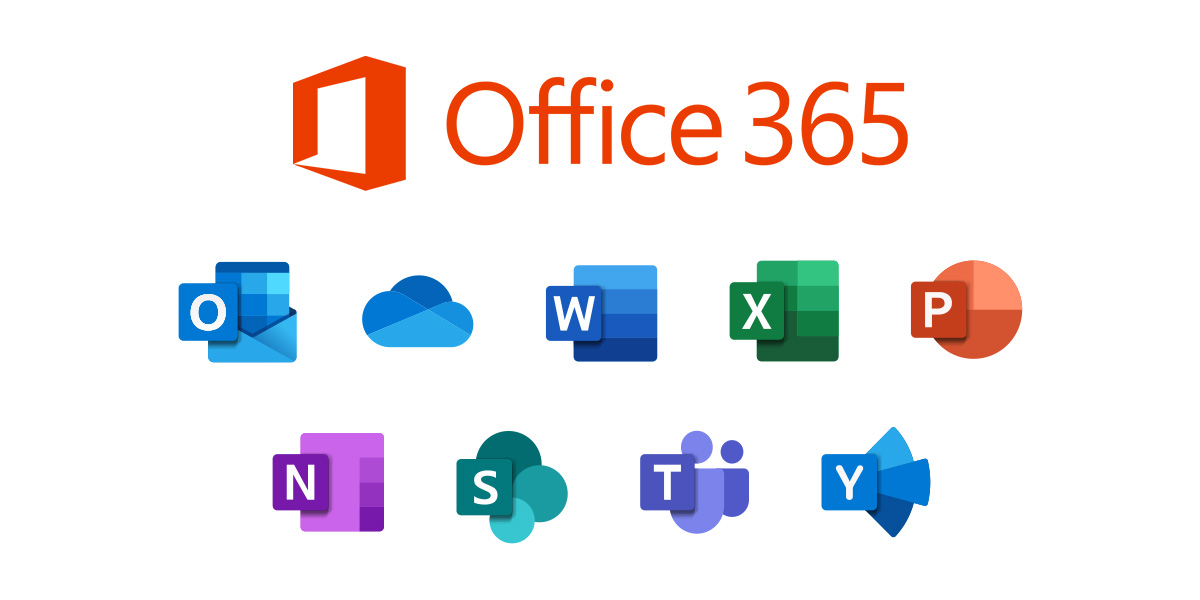
Office 365
Office 2021 vs Microsoft 365 Comparison Pricing
Pricing is a critical factor when deciding between Office 2021 vs Office 365 Comparison. The costs for both options vary significantly.
Office 2021 Pricing
Office 2021 is available for a one-time fee. Depending on the version you choose (Home & Student, Home & Business, or Professional), prices range from $149.99 to $439.99. This price is a one-off, so you won’t have to worry about recurring costs.
Microsoft 365 Pricing
Microsoft 365 follows a subscription model. The family plan costs $99.99 annually, while the personal plan costs $69.99.. For businesses, prices start at $5 per user per month. While the upfront cost of Microsoft 365 is lower, you’ll be paying annually to keep the service active.
Which Is More Affordable?
If you prefer a long-term solution with no recurring payments, Office 2021 is a more affordable option. However, if you’re okay with paying annually for the latest features and cloud benefits, Microsoft 365 offers value with its subscription-based model.
Office 2021 vs. Microsoft 365: Key Differences
Let’s break down the key differences between Office 2021 vs Office 365 Comparison:
1. Ownership vs. Subscription
Office 2021 is a one-time purchase. It’s yours permanently after you purchase it. Microsoft 365, however, is a subscription service. To use the software, you will have to continue paying.
2. Updates and Features
Office 2021 does not receive regular updates after the initial release. In contrast, Microsoft 365 users get continuous feature updates, security patches, and new tools as they are released.
3. Cloud Storage and Collaboration Tools
Microsoft 365 provides collaborative tools like Teams and cloud storage via OneDrive. Office 2021 lacks these features, which makes it harder to collaborate with others or access files remotely.
4. Apps and Services
Word, Excel, and PowerPoint are among the necessary software available in both options. However, Microsoft 365 includes additional apps like OneNote, Access, and Publisher, as well as cloud-based services like SharePoint.
Office 2021 vs. Microsoft 365: Features Breakdown
Word
Both Office 2021 vs Office 365 Comparison offer powerful versions of Word. However, Microsoft 365 adds cloud integration for real-time collaboration, while Office 2021 works offline and lacks cloud features.
Excel
Excel is another core app in both versions. Microsoft 365 offers cloud-based collaboration, new features, and the most recent upgrades. Office 2021 provides a solid Excel experience but lacks real-time collaboration and cloud storage.
PowerPoint
PowerPoint in Microsoft 365 includes additional features like Presenter Coach and improved collaboration. Office 2021 offers standard features, but it doesn’t include the latest enhancements or cloud-based collaboration.
Outlook
Both versions come with Outlook, but Microsoft 365 provides better integration with other apps like Teams and OneDrive, while Office 2021 is limited to local email management.
Office 2021 vs Office 365 Comparison: Performance and Usability
Performance-wise, both Office 2021 vs Office 365 Comparison are efficient and fast. The key difference lies in their usability:
-
Office 2021: Best for users who prefer to work offline and don’t need regular updates.
-
Microsoft 365: Perfect for users who need the latest features and enjoy cloud-based tools for collaboration.
Should You Choose Office 2021 or Microsoft 365?
Deciding between Office 2021 vs Office 365 Comparison depends on your specific needs. Here’s a quick guide:
-
Select Office 2021 if you don’t require cloud integration and would rather pay once.
-
Choose Microsoft 365 if you want continuous updates, cloud storage, and enhanced collaboration tools.
Option 1: Cost Considerations in the Office 2021 vs Office 365 Comparison
When evaluating the Office 2021 vs Office 365 Comparison, cost is often one of the most important factors. Office 2021 requires a one-time purchase, which may end up being more economical in the long run. This is especially true for individuals who don’t need the latest features or cloud-based tools. The upfront cost may feel like an investment, but there won’t be any recurring expenses after that.
However, when considering the Office 2021 vs Office 365 Comparison, you should also keep in mind the cost of not receiving regular updates. Over time, Office 2021 may feel outdated compared to the continuously updated Microsoft 365 suite. Microsoft 365’s subscription model costs money every month or year, but it provides users with constant feature updates and improvements.
If you’re a business or team that requires new features and cloud integration, the ongoing expense of Microsoft 365 is justified. On the other hand, for personal use or small businesses, Office 2021 vs Office 365 Comparison may sway in favor of Office 2021, as the long-term savings outweigh the advantages of continuous updates.
Thus, the Office 2021 vs Office 365 Comparison should also factor in whether you are comfortable with the subscription model or prefer the traditional one-time purchase.
Option 2: How Cloud Integration Impacts Your Workflow: Office 2021 vs Office 365 Comparison
A major advantage of Microsoft 365 over Office 2021 is cloud integration. When conducting an Office 2021 vs Office 365 Comparison, it becomes clear that Microsoft 365 offers significant benefits if you need cloud access. With Microsoft 365, all of your files are saved on OneDrive, allowing easy access from any device, anywhere.
On the other hand, Office 2021 lacks cloud storage features. Files are saved locally on your computer, which can be inconvenient for those who need to access their files remotely or collaborate with others. If you’re someone who works on the go, the Office 2021 vs Office 365 Comparison heavily leans in favor of Microsoft 365 because it provides seamless cloud storage and collaboration options.
When using Microsoft 365, you can also collaborate with others in real time. Whether you’re working on a document, spreadsheet, or presentation, multiple people can edit the file simultaneously. In contrast, Office 2021 does not offer this functionality, which may limit your ability to collaborate efficiently in a team environment.
Therefore, if cloud integration and remote collaboration are important to your workflow, the Office 2021 vs Office 365 Comparison suggests that Microsoft 365 is the better choice.
Option 3: The Benefits of Regular Updates in the Office 2021 vs Office 365 Comparison
In the Office 2021 vs Office 365 Comparison, the importance of software updates cannot be understated. Microsoft 365 users benefit from continuous updates, ensuring that the software is always up to date with the latest features and security patches. This is a major advantage for those who want to stay ahead of the curve with the latest functionality and fixes.
With Office 2021, you receive the software as-is, with no option for future updates unless you purchase a new version. This means that after the initial purchase, you won’t receive the latest features that Microsoft introduces. As a result, Office 2021 vs Office 365 Comparison may leave Office 2021 feeling stagnant, especially as technology advances and new tools become available.
In addition to new features, security updates are crucial. Microsoft 365 ensures that you always have the most recent security patches, helping to protect your data and privacy. In contrast, Office 2021 will only receive security updates until the product reaches its end of life. This makes Microsoft 365 a more secure choice for users who need the latest protection.
Overall, if you’re someone who values having the latest features and staying secure with regular updates, the Office 2021 vs Office 365 Comparison will likely point to Microsoft 365 as the better solution.
Option 4: The Flexibility of Subscription vs. One-Time Payment in the Office 2021 vs Office 365 Comparison
A key difference in the Office 2021 vs Office 365 Comparison is the payment model. Office 2021 is a one-time payment, which means you only pay once for the software. This may seem appealing to users who prefer not to commit to ongoing payments.
However, Microsoft 365 offers a subscription model, where you pay on a monthly or yearly basis. This can feel like a downside if you’re someone who dislikes recurring costs. But the subscription model allows you to spread out the payments and access additional features like cloud storage, collaboration tools, and the latest updates. The Office 2021 vs Office 365 Comparison should consider how you feel about a consistent payment structure.
If you are okay with the subscription model, Microsoft 365 offers greater flexibility. It allows you to switch plans based on your changing needs. Whether you need a personal plan, a family plan, or a business plan, Microsoft 365 can scale accordingly. In contrast, Office 2021 doesn’t offer this flexibility once you’ve made your purchase.
Thus, the Office 2021 vs Office 365 Comparison will depend on whether you prefer the stability of a one-time cost or the adaptability of a subscription-based service.
Option 5: Which One is Better for Teams? Office 2021 vs Office 365 Comparison
When it comes to teamwork and collaboration, the Office 2021 vs Office 365 Comparison heavily favors Microsoft 365. Teams, a tool integrated into Microsoft 365, provides a seamless environment for communication and collaboration. It allows users to chat, hold video meetings, and share files all in one place.
In contrast, Office 2021 lacks such tools. You won’t have access to real-time communication features like Teams or Slack, which can make collaboration harder. If you’re working as part of a team and need to collaborate on documents in real-time, the Office 2021 vs Office 365 Comparison clearly shows that Microsoft 365 is superior.
Additionally, Microsoft 365 allows you to use OneDrive, making file sharing easier across teams. Files are stored in the cloud, so everyone has access to the most up-to-date versions. Office 2021, however, doesn’t offer this cloud integration, making it less efficient for team-based work.
For businesses or teams, the Office 2021 vs Office 365 Comparison makes it clear: Microsoft 365’s collaboration tools are essential for productive teamwork.
Option 6: Storage Capacity in the Office 2021 vs Office 365 Comparison
When comparing Office 2021 vs Office 365, storage capacity is another key difference. Office 2021 does not come with any cloud storage. All files are saved locally on your computer, and it’s up to you to manage your file storage.
In contrast, Microsoft 365 offers OneDrive, a cloud storage service that starts at 1TB for personal use and goes up to several terabytes for businesses. With OneDrive, your files are securely stored in the cloud, and you can access them from any device at any time. This cloud storage option is a significant advantage in the Office 2021 vs Office 365 Comparison, especially if you work remotely or need to access files from multiple devices.
OneDrive also allows for easy file sharing and collaboration. With Office 2021, you’ll need external storage solutions or physical drives if you need additional space. This limits your ability to collaborate in real-time.
In summary, the Office 2021 vs Office 365 Comparison indicates that Microsoft 365’s cloud storage and access to files from anywhere make it a far more versatile and efficient option.
Option 7: Long-Term Value in the Office 2021 vs Office 365 Comparison
The Office 2021 vs Office 365 Comparison also hinges on long-term value. Microsoft 365’s subscription model might seem costly over time, but it offers a wide array of benefits that can be considered an investment. With continuous feature updates and access to collaboration tools, you’re always getting the latest and greatest that Microsoft has to offer.
On the other hand, Office 2021 may feel like a more affordable option initially. You make a one-time payment, and that’s it. However, as software evolves, Office 2021 could become outdated, and you may need to buy a new version to access new features or security updates. The Office 2021 vs Office 365 Comparison shows that Microsoft 365 offers long-term value due to its dynamic nature.
If you plan to use the software for many years, the ongoing benefits of Microsoft 365 could make it more worthwhile in the long run. However, if you prefer a one-time purchase with no ongoing costs, Office 2021 might suit your needs better.
Option 8: The Convenience of Always Being Up to Date in the Office 2021 vs Office 365 Comparison
In today’s fast-paced world, staying up to date with the latest technology is crucial. In the Office 2021 vs Office 365 Comparison, one of the most compelling reasons to choose Microsoft 365 is the ability to automatically receive new features and security updates. With Office 2021, updates are infrequent and only occur when a new version is released.
Microsoft 365, on the other hand, provides ongoing updates that ensure you always have the latest tools and features. This is especially important if you use your software for business or other professional purposes. With Office 2021, you may miss out on valuable updates that could improve your workflow.
The Office 2021 vs Office 365 Comparison clearly shows that Microsoft 365 is the better choice for those who need to stay ahead of the competition with the newest software capabilities.
Option 9: User Interface in the Office 2021 vs Office 365 Comparison
When you look at the Office 2021 vs Office 365 Comparison, both versions share a similar user interface, but there are slight differences. Microsoft 365 tends to have more modernized features and tools. For instance, it offers AI-powered writing assistants and enhanced tools for organizing documents and data.
While Office 2021 still provides a solid experience, the Office 2021 vs Office 365 Comparison reveals that the Microsoft 365 suite is continually evolving with improvements in accessibility and user experience. New features are regularly added, which keeps the interface fresh and responsive.
If you value having the most up-to-date interface and functionality, Microsoft 365’s dynamic nature is a clear winner in the Office 2021 vs Office 365 Comparison.
Option 10: Customer Support in the Office 2021 vs Office 365 Comparison
Finally, customer support is a key factor when comparing Office 2021 vs Office 365. Microsoft 365 users receive access to premium customer support services, ensuring that any issues are quickly addressed. In contrast, Office 2021 only offers standard customer support, which may not be as responsive.
With Microsoft 365, you also gain access to additional resources, including webinars, community forums, and detailed troubleshooting guides. For those who need regular help or run into complex issues, the Office 2021 vs Office 365 Comparison shows that Microsoft 365’s support options are superior.
Download from here.
Conclusion
In conclusion, both Office 2021 vs Office 365 Comparison offer strong performance and essential tools. However, your choice will depend on your preferences for payment structure, updates, and cloud features. If you need something that works offline with no recurring fees, Office 2021 is the better choice. On the other hand, if you want continuous updates, cloud access, and collaboration tools, Microsoft 365 is the way to go.
For more information on Microsoft Office 2021 Professional Plus, visit Microsoft Office 2021 Professional Plus.